


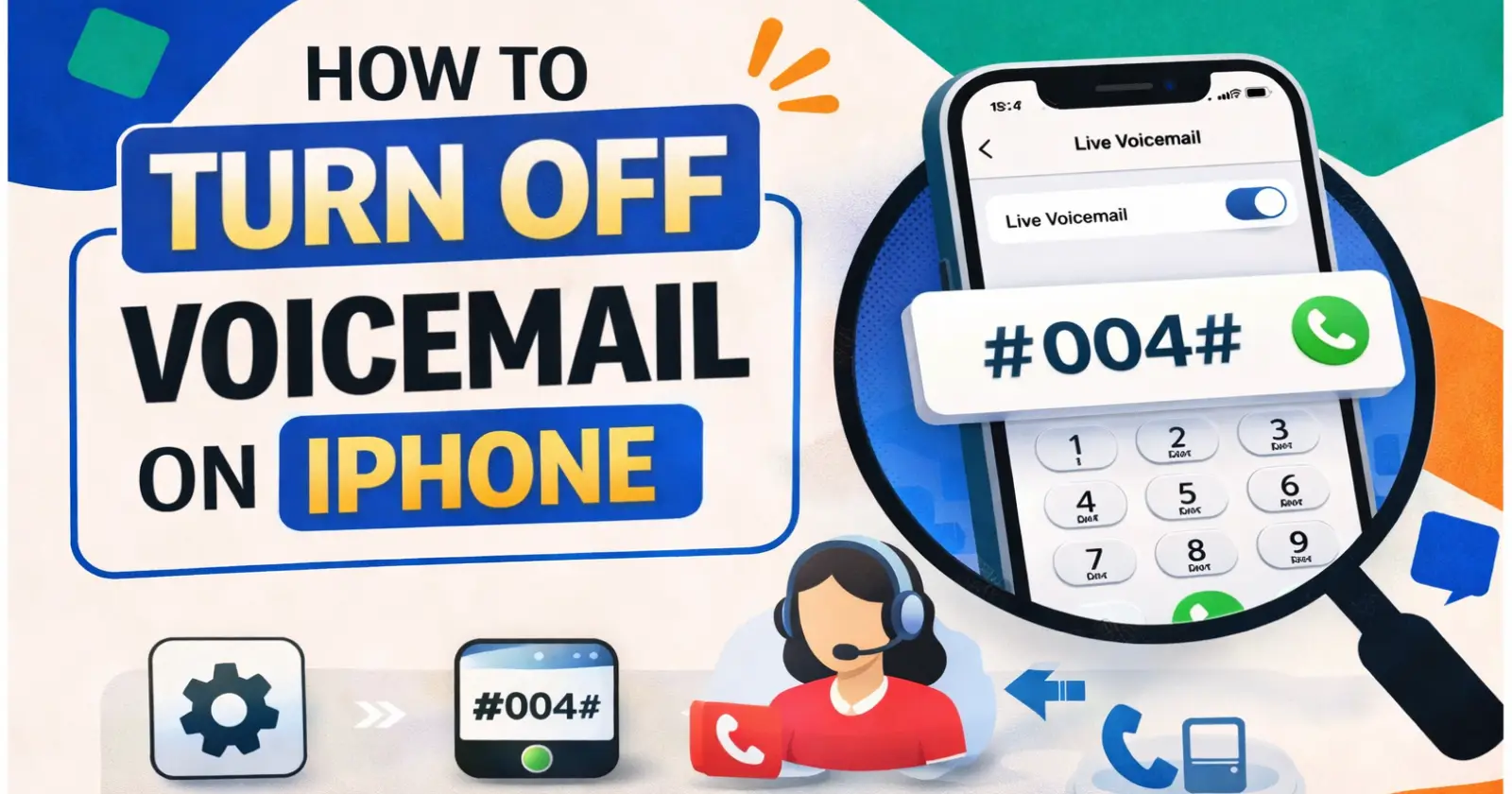
Voicemail can be a useful feature, but not everyone likes it. Many iPhone users find it annoying, especially when they keep receiving unwanted voice messages and company voice calls.
So, if you are a Apple user and searching for how to off voicemail in iPhone, you are not alone.
The good news is, you can easily turn off voicemail using a few simple methods. In this guide, you will learn step-by-step ways to disable voicemail on your iPhone.
What is Voicemail on iPhone?
Voicemail is a feature that allows callers to leave a voice message when you don’t answer a call or you can’t pick up the call. However, many users prefer to:
- Avoid spam voice messages
- Stop unnecessary notifications
- Or simply use missed calls instead
That’s why turning off voicemail becomes important.
Before You Start (Important Note)
Here’s something you should know:
Voicemail is mostly controlled by your mobile carrier, not just your iPhone settings.
So, sometimes you may need to use codes or contact your network provider.
Method 1: Turn Off Live Voicemail (Easiest Way)
If your iPhone is running iOS 17 or later, Apple includes a built-in Live Voicemail feature that you can easily turn off from the iPhone settings. However, if your device is on iOS 16 or older, this option won’t be available, and you’ll need to rely on other methods like carrier codes or support.
Steps:
- Open Settings
- Go to Apps > Phone
- Find Live Voicemail
- Turn it OFF
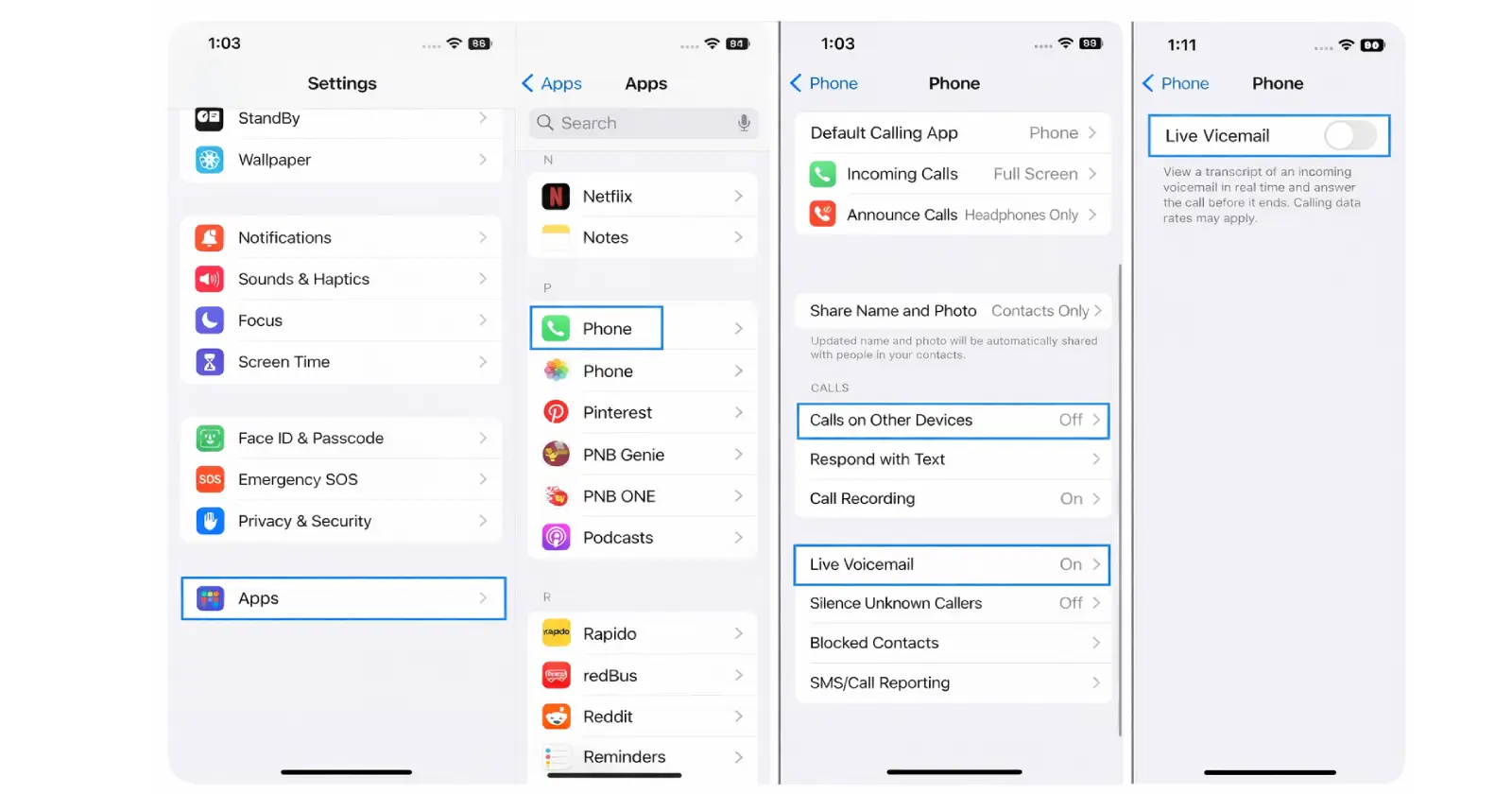
Once disabled, callers won’t be able to leave voice messages.
Method 2: Use a Code to Disable Voicemail
If your carrier supports it, you can use a simple USSD code to turn off voicemail on your iPhone. This method works across most iOS versions, including older ones like iOS 16 or earlier, since it depends on your network provider rather than the iPhone settings.
Steps:
- Open the Phone app
- Go to the Keypad
- Dial: #004#
- Tap the Call button
You will see a confirmation message once voicemail is disabled.
Tip:
- This method may not work for all carriers
- If it fails, try the next method
Method 3: Contact Your Mobile Carrier
If the above methods don’t work, the most reliable way to turn off voicemail is by contacting your mobile carrier.
Since voicemail is a network-based service, your carrier has full control over enabling or disabling it on your number.
What to do:
- Call your customer care
- Airtel – Dial 121 or 198
- Vodafone Idea (Vi) – Dial 199 or 198
- Reliance Jio – Dial 198 or 199
- Ask them to disable voicemail from their side
Because voicemail is managed by carriers, they can turn it off completely.
Method 4: Use Call Forwarding (Alternative Trick)
If you’re unable to completely turn off voicemail, you can use call forwarding as a workaround. Instead of sending unanswered calls to voicemail, this method redirects them to another number.
Steps:
- Open Settings then Apps
- Go to Phone
- Tap Call Forwarding
- Turn it ON
- Enter another number
This way, calls go to another number instead of voicemail.
Why You Might Want to Turn Off Voicemail
There are several reasons why many users choose to disable voicemail on their iPhones. In most cases, people get tired of receiving too many spam or unknown voice messages, which can quickly become annoying.
In addition, some carriers may charge extra for voicemail services, so turning it off can also help save money. Many users also prefer seeing a missed call instead of listening to recorded messages, as it feels quicker and more convenient. Overall, disabling voicemail helps save time and reduces unnecessary distractions.
Why You Can’t Fully Turn It Off Sometimes
Here’s the reality:
- Some carriers don’t allow full deactivation
- Certain features depend on network settings
- Codes may not work for prepaid users
So, don’t worry if one method doesn’t work – just try another.
How to Check if Voicemail is Disabled
After turning it off, you can test it:
- Call your number from another phone
- If no voicemail option appears → it’s disabled
Pro Tips
- Keep your iOS updated for the latest settings
- Use “Silence Unknown Callers” for spam control
- Contact support if you face issues
Final Thoughts
Turning off voicemail on an iPhone is not difficult, but it may require different methods depending on your carrier and your iPhone’s iOS version.
So, if you were looking for how to turn off voicemail in iPhone, now you know exactly what to do.
Start with the Live Voicemail setting, then try the code method, and if needed, contact your carrier.
Read Also –
1- How to Share Location on iPhone
2- How to Reset AirPods
3- How to Schedule a Text on iPhone
