



Shopping for employee-training software can feel like a vendor-built maze. We analyzed comparison grids, user forums, and public price sheets to uncover the nine best HR tools for employee training and development in 2026. Our criteria rate how well each platform trims admin hours, builds job-ready skills, and satisfies compliance audits. According to the LinkedIn 2025 Workplace Learning Report, 71 percent of L&D professionals already use AI daily, so smart automation carried extra weight in our scoring. Skip the hype—here’s what matters.
Best Tools at a Glance
Need the shortlist fast? The table below ranks the best HR tools for employee training and development on five buyer priorities: core learning power, admin workload, pricing transparency, useful AI, and compliance depth. Scan the grid, then jump to the full reviews to confirm fit.
| Rank | Platform | Best for | Ideal workforce | Pricing transparency* | Biggest trade-off |
| 1 | GoSkills | All-in-one launchpad for growing teams | Office or hybrid, 50–1,000 employees | Public | Fewer deep enterprise integrations |
| 2 | 360Learning | Peer-created, collaborative learning | Global, knowledge-heavy teams | Partial (entry tier public) | Registered-user pricing can raise costs |
| 3 | TalentLMS | Budget-friendly, classic LMS | SMB to mid-market | Public | Advanced reports sit on higher tiers |
| 4 | Docebo | AI-driven enterprise scale | Multi-audience, multi-region | Quote only | Longer implementation and higher total cost |
| 5 | SC Training | Mobile-first microlearning | Frontline or deskless staff | Public free tier; paid estimates | Back-end depth varies by plan |
| 6 | Absorb LMS | Audit-ready compliance at scale | Regulated mid-market and enterprise | Quote only | Overkill for small teams |
| 7 | iSpring Learn | Rapid PowerPoint-to-course production | Content-heavy SMBs | Public range | Limited customization for complex orgs |
| 8 | LearnUpon | Single hub for employees, customers, partners | Mixed internal–external audiences | Quote only | AI features trail leaders |
| 9 | Axonify | Adaptive daily drills for frontline staff | Retail, distribution, manufacturing | Quote only | Narrower long-form learning tools |
*Public = full price list on the vendor site; Partial = some plans public; Quote only = pricing supplied on request.
How We Built the Scorecard
➤ Our Evidence Stack
We ranked every data point on a five-tier ladder with the highest-trust sources at the top:
- Official vendor pages. Features and price tables published between May 1 and July 30, 2026. If a number was missing, the tool is tagged quote-only.
- Crowd-sourced reviews. Aggregated G2 and Capterra snapshots highlighted repeat praise or pain points (setup time, support quality).
- Independent editorials. Forbes Advisor, People Managing People, and similar outlets added context, but we discounted any article that also promotes its own product.
- Community threads. High-signal Reddit posts in r/instructionaldesign and r/elearning revealed hidden admin costs such as seat-based pricing headaches.
- Vendor-written comparisons. We read these last and ran each claim through a “who benefits?” check before scoring.
Vendor facts ground accuracy, user voices show daily reality, and outside experts test our assumptions. A feature, price, or pain point earned full credit only when at least two tiers agreed.
How the Score Works
Every platform earned a numeric score out of 100 based on eight criteria real buyers care about. The weights and the reasons behind them are below.
| Criterion | Weight | Why it matters |
| Core training power | 25 percent | If course creation, assignments, or reporting fail, nothing else makes up for it. |
| Ease of rollout | 15 percent | Lean HR teams can’t wait weeks to launch. |
| Pricing clarity | 15 percent | Hidden registered-seat fees derail budgets faster than any feature gap. |
| Integrations & standards | 12 percent | SSO, HRIS sync, and SCORM/xAPI import save hours or create headaches. |
| Engagement features | 10 percent | Badges, social nudges, and mobile access keep learners coming back. |
| Useful AI | 10 percent | Adaptive recommendations and auto-authoring trim admin work when AI moves beyond generic slides. |
| Compliance workflows | 8 percent | OSHA notes that online modules alone rarely satisfy hands-on standards; tools must track expirations and supervisor sign-offs. |
| Market reputation | 5 percent | Reviews confirm support quality but should not outweigh objective fit. |
Scores are calculated to one decimal place, then ranked. Feel free to rerun the math with your own weights if another factor keeps you up at night.
GoSkills – Best Overall for Growing Teams
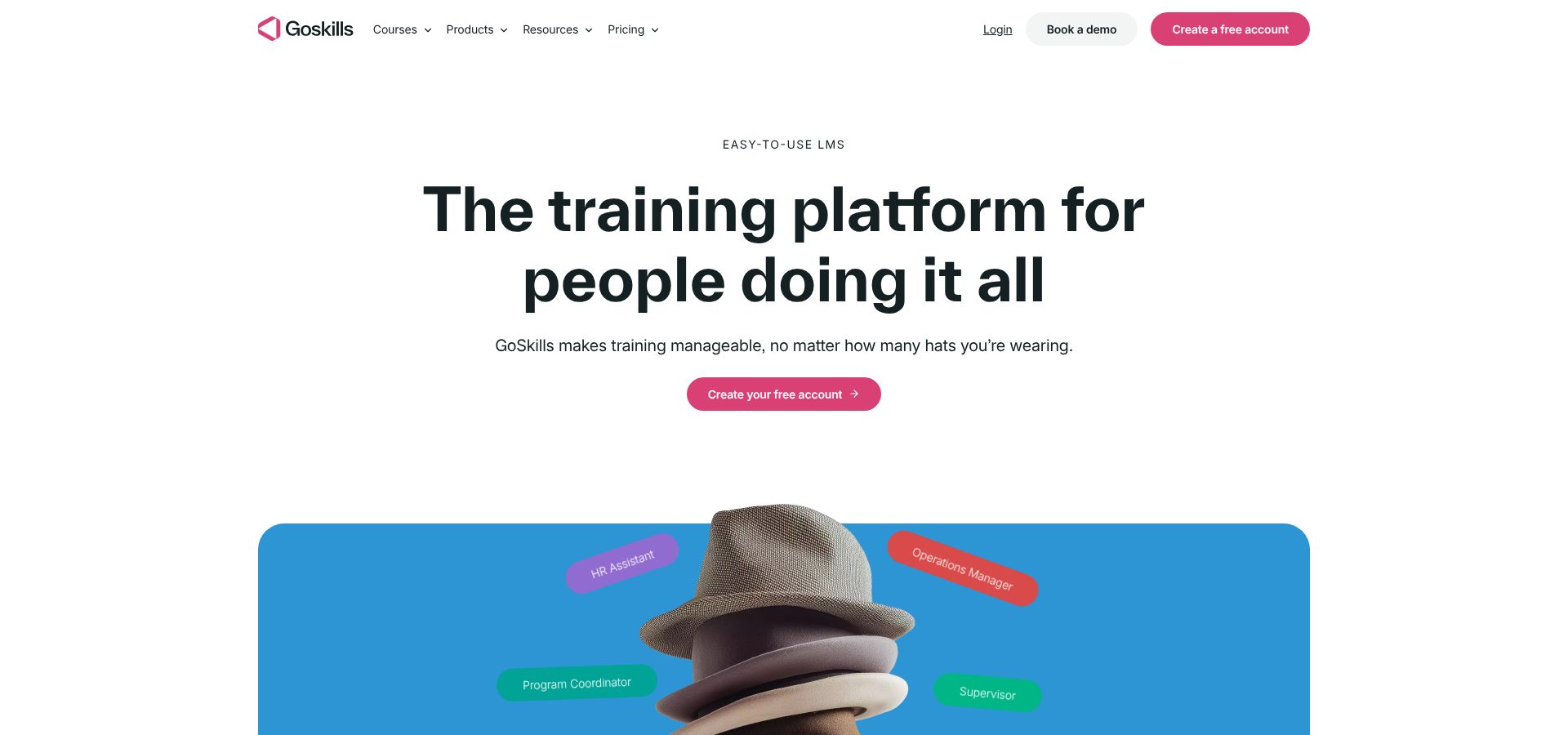
Training spreadsheets belong in the recycle bin. GoSkills bundles course creation, delivery, tracking, and a library of more than 500 ready-to-assign business courses in one platform, so a single HR or operations generalist can launch learning without calling IT. See a live demo and price slider on the online employee training software for growing teams page.
➤ Why it Fits Lean Teams
- Hours, not weeks, to launch. Most admins publish their first course the same day they sign up.
- AI course builder and Tutor. Upload a slide deck; the system converts it into interactive micro-lessons.
- Standards-friendly. SCORM and xAPI imports keep future migration doors open.
➤ Pricing Snapshot
A free tier supports light pilots. The LMS Pro plan lists at $9.71 per user per month when you buy five annual seats. That price still beats many budget LMS quotes at 50 or even 500 seats.
➤ Watch-outs
GoSkills skips deep org hierarchies and native SAP connectors found in global talent suites. For companies with roughly 50–1,000 employees, the speed and simplicity outweigh those edge-case extras.
360Learning – Best for Collaborative Learning
When company know-how sits in employees’ heads, 360Learning turns it into courses in minutes. Authors draft a module, invite reviewers, and watch threaded comments flow like a Google Doc. Built-in AI tags skills and auto-creates quiz questions, trimming production time.
Learners feel the conversation too: each lesson hosts inline discussions, mobile push nudges, and leaderboards that keep feedback moving in real time.
➤ Pricing Snapshot
The self-serve Team plan lists at $8 per active user per month for up to 100 users. Enterprise contracts move to custom quotes and often price by registered seats, so seasonal head-count spikes can raise costs.
➤ Where it Shines
Multilingual scale leads the pack. Administrators duplicate a course, swap language assets, and publish in minutes. A Canadian bank launched French and English versions on the same afternoon.
➤ Watch-outs
- Registered-seat pricing can outrun the budget if dormant accounts linger.
- First-time admins note a learning curve steeper than simpler tools like GoSkills, so budget change-management time.
Choose 360Learning when peer expertise evolves faster than formal L&D can keep pace; skip it if you mainly need compliance checkboxes.
TalentLMS – Best Conventional LMS Value
Need a budget-friendly LMS that just works? TalentLMS covers the basics: authoring, SCORM uploads, audience branches, and an AI builder called TalentCraft, all without a steep learning curve.
➤ Pricing Snapshot
- Free plan for up to five users.
- Core plan: $119 per month for 1–40 registered users when billed annually.
Higher tiers widen user bands and unlock single sign-on, advanced automations, and richer reports, so you can forecast the cost of growth.
➤ Why it Clicks
Learners earn badges, climb leaderboards, and download lessons for offline study on the mobile app. According to G2 reviews, TalentLMS holds a 4.6/5 rating from 797 reviewers, with praise for ease of use and responsive support.
➤ Watch-outs
Deep data slicing requires the Plus plan or creative exports. As active users grow into the hundreds, per-user pricing can approach enterprise-grade quotes.
Choose TalentLMS when you need solid fundamentals, transparent costs, and enough flexibility to brand portals for customers or partners, without an enterprise project plan.
Docebo – Best Enterprise AI and Scale
When your learning program spans regions, audiences, and strict compliance rules, a single LMS rarely keeps up. Docebo offers a modular suite: Learn LMS at the core, AI authoring (Shape), skill-gap recommendations (Discover, Coach & Share), and Extended Enterprise portals for partners or customers. Everything supports SCORM, xAPI, and CMI5 and syncs users from Workday, SAP, or BambooHR through pre-built connectors.
➤ Why Large Organizations Choose It
- Automation everywhere. Rules auto-enroll staff, trigger re-certifications, and nudge learners as HR data changes.
- Analytics tied to KPIs. Completion data layers onto business metrics so L&D can show impact.
- Proven at scale. According to G2 reviews, Docebo holds a 4.3/5 rating from 745 reviews, with praise for customization and automation.
➤ Watch-outs
Implementation is a real project. Plan for discovery sessions, SSO testing, and possible systems-integrator support that can stretch 6–12 weeks. Pricing is quote only and often expands with add-ons such as content marketplace credits or the analytics module. The investment pays off when you run multiple portals on one codebase, not when your goal is a quick compliance refresher.
Choose Docebo if AI-driven personalization and multi-audience scale outweigh sticker shock; pass if you just need to post new-hire slides by Friday.
SC Training – Best Mobile-first Microlearning
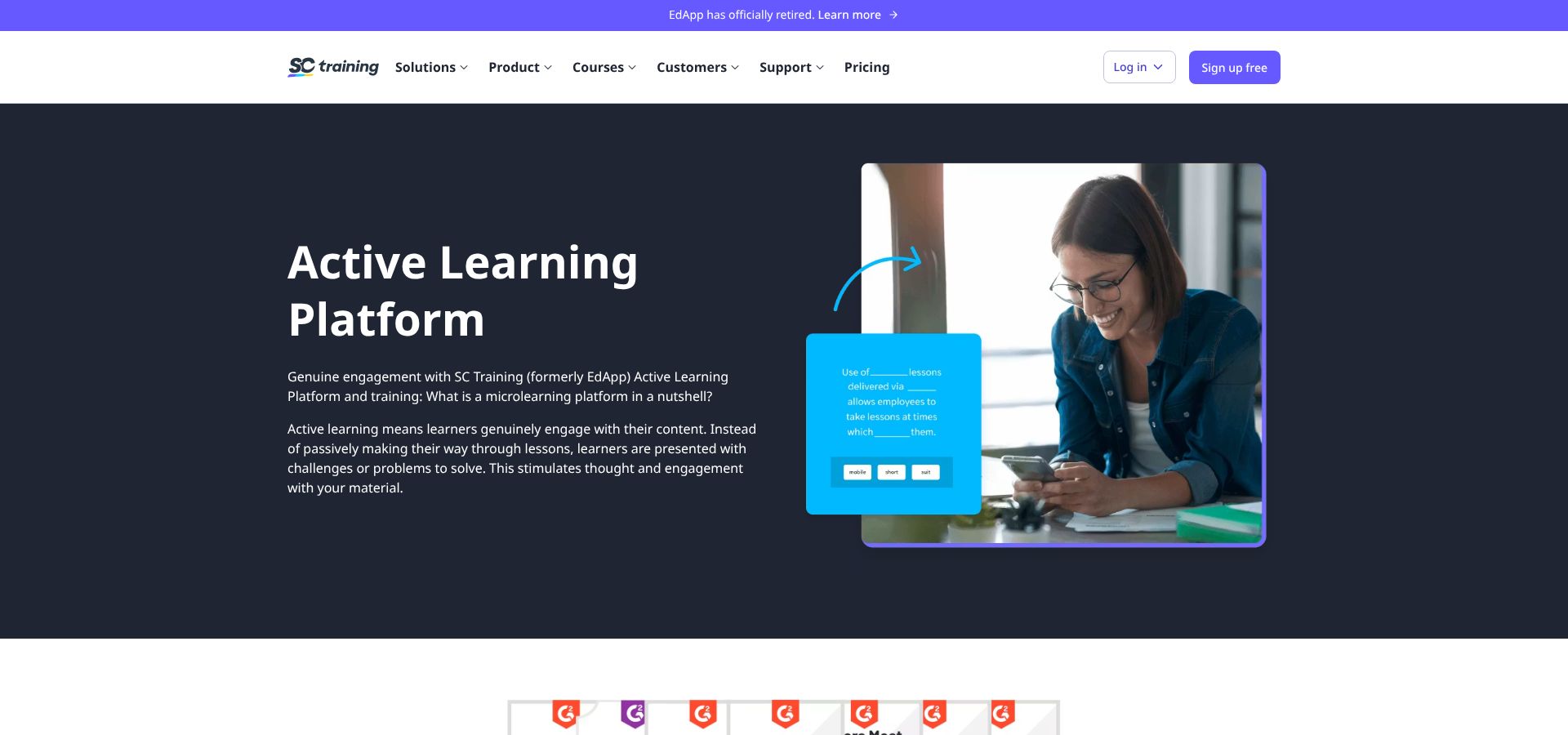
Frontline staff rarely sit behind desks, so SC Training (formerly EdApp) drops short lessons straight onto the phones they already carry. A swipeable feed launches safety refreshers in the time it takes to steam milk, and quiz stories plus daily streaks push completion rates well beyond typical LMS averages.
➤ Pricing Snapshot
- Starter plan: free for up to 10 learners and unlimited courses.
- Paid tiers range from $0 to $5 per user per month in recent third-party round-ups; the vendor reveals exact numbers during the demo, so check whether seats are counted as registered or active.
➤ Why it Works for Frontline Teams
- Launch lessons in minutes with mobile templates and in-app camera uploads.
- Push notifications, leaderboards, and streaks drive repeat engagement.
- Offline mode lets crews train in a warehouse dead zone and sync later.
➤ Watch-outs
Granular org hierarchies and deep reporting are limited, and browser-based authoring can feel slow. Choose SC Training when attention is the barrier; look elsewhere if you need complex role structures or extensive analytics.
Absorb LMS – Best for Compliance-heavy Organizations
Miss one forklift refresher and OSHA comes knocking. Absorb LMS pairs a polished learner interface with rigorous tracking, so you can prove every certificate, signature, and hands-on drill on demand.
➤ Why Compliance Teams Trust It
- Expiration logic. Tie each course to a renewal date and auto-enroll staff 30 days before they lapse.
- Blended evidence. Log instructor-led hours, attach photos of practical drills, and export a single PDF for OSHA or ISO reviewers.
- Risk dashboards. Learner tiles flash red as deadlines loom; managers see workforce-wide exposure at a glance.
According to G2 reviews, Absorb scores 4.6/5 from about 895 reviewers, with praise for reporting precision and customer support.
➤ Pricing and Setup
Licenses are quote only and sized by active learners, portal count, and add-ons such as e-commerce or Absorb Analyze. Total cost usually lands below Cornerstone but above mid-market tools like TalentLMS. Plan for implementation support if you need to connect multiple HR platforms or migrate a legacy SCORM library.
Choose Absorb when auditors demand timestamped evidence and executives want risk in one dashboard; skip it if you just need quick slide uploads and basic quizzes.
iSpring Learn – Best for Rapid Course Production
Got a folder full of PowerPoint decks? iSpring Learn converts them into interactive, trackable courses with one click. Install the PowerPoint add-in, hit Publish to LMS, and animations, audio, and quizzes flow straight into the portal with no copy-pasting or broken timings.
Learners view polished modules on desktop or in the offline-friendly mobile app. Managers build learning paths, drip content, and launch 360-degree surveys without touching code. The platform supports SCORM, xAPI, and cmi5, so you can move content later if needed.
➤ Pricing Snapshot
Comparison sites place entry tiers at roughly $2–$4 per active user per month (third-party estimates; request a written quote for exact seats and Suite bundles).
➤ Trade-offs
Speed limits deep customization. Granular role hierarchies, native data connectors, and API-level dashboards lag behind enterprise suites like Docebo or Absorb. Plan on exports if you need cross-object analytics.
Choose iSpring Learn when fast, faithful slide conversion is the main hurdle; opt for a different platform if you need a global talent marketplace.
LearnUpon – Best Multi-audience LMS
Onboarding employees, certifying customers, and enabling partners rarely share the same playbook. LearnUpon lets you run all three from one dashboard.
➤ The Standout Feature – Portals
Spin up a new portal, add branding, map user groups, and you have isolated catalogs, emails, and analytics in under an hour. Admins hop between portals from a single view, so changes propagate instantly.
➤ Beyond Portals
- Instructor-led scheduling, e-commerce checkouts, and badge automation come standard.
- Deep integrations with Salesforce, Zendesk, and leading HRIS tools keep learner records and support tickets in sync.
- SCORM, xAPI, and cmi5 keep content portable.
➤ Reputation
According to G2 reviews, LearnUpon holds a 4.5/5 rating from more than 250 reviewers, with praise for ease of setup and responsive support.
➤ Pricing and fit
Licenses are quote only and sized by active learners and portal count; expect total spend to fall between TalentLMS and Docebo. Per-portal licensing still beats juggling three standalone tools, but AI capabilities trail category leaders.
Choose LearnUpon when you need one command center for employees, customers, and partners, without chasing experimental AI add-ons.
Axonify – Best Adaptive Frontline Platform
Frontline staff absorb plenty but forget fast. Axonify fights that decay with daily, three-minute drills that adapt to each learner’s mastery level.
➤ An Algorithm That Sticks
The engine pulls questions from a central knowledge pool, reorders them, and repeats weak areas until scores climb. Gamified leaderboards and themed challenges turn safety refreshers into quick competitions associates tackle during shift hand-offs.
➤ Actionable Insight
Managers see heat maps of topic mastery. Spot a gap in forklift safety? Fire off a targeted burst and watch risk scores shrink in real time.
➤ Lightweight Rollout
Most content is micro, so implementation skips a lengthy LMS project plan. Import existing SCORM files or build flash-card modules, map to roles, and let the engine handle spacing. Completion and knowledge scores push back to your HRIS or BI tool for side-by-side KPI tracking.
➤ Reputation and Price
According to G2 reviews, Axonify holds a 4.7/5 rating from more than 160 reviewers, with praise for engagement and measurable behavior change. Pricing is quote only and favors large frontline volumes; budget for content services if you plan to convert long courses into bite-size drills.
Choose Axonify when attention spans are measured in minutes and performance metrics rule the day; look higher in this list if most employees sit behind desks.
Also Considered
The tools below scored well but missed the top nine for one key reason each. Depending on your use case, any could still be a perfect fit.
| Product | Stand-out strength | What kept it off the list |
| Continu | Smooth in-flow learning and AI-guided search | Quote-only pricing and limited third-party validation so far |
| Litmos | Compliance depth in life sciences and manufacturing | User interface feels dated next to Absorb and lacks modern AI tools |
| Connecteam | Versatile deskless suite (scheduling, chat, checklists) | Learning module trails SC Training on engagement metrics |
| Cornerstone Learning | Deep talent-suite integration across the HR stack | Six-figure implementation out of reach for most mid-market teams |
| Rippling Learning | Instant provisioning for existing Rippling HR customers | Too light as a standalone LMS with limited certifications and analytics |
| Trainual | Fast SOP hand-off and process documentation | Minimal certification tracking and basic reporting only |
| Leapsome | Elegant link between learning and performance reviews | Course-delivery engine lacks LMS-grade structure and tracking |
| 5Mins.ai | TikTok-style micro-video feed drives engagement | Governance and enterprise-admin features still immature |
Buying Guide – Start with Your Workforce
Start by defining the people who will click Start course:
1. Workplace Setting
- Office knowledge workers care about single sign-on, deep reporting, and keyboard-friendly authoring.
- Frontline or deskless staff need offline mobile lessons that fit a five-minute break.
- Hybrid employees expect laptop depth and phone convenience in equal measure.
2. Device Reality
Shared tablets on a shop floor favor concurrent-user pricing. Company-issued smartphones make push notifications and biometric logins more valuable than an extra analytics chart.
3. Language and Accessibility
A U.S. retailer with seasonal hires may need Spanish captions and screen-reader support long before AI voiceovers. Match vendor demos to those launch-day requirements.
Map the Job to the Software Type
Identify the job you need the tool to handle.
- Onboarding new hires? Structured learning paths and automated reminders outrank AI chatbots.
- Proving OSHA or GDPR compliance? Certification dashboards and audit-ready exports top the list (OSHA keeps records for five years).
- Boosting internal mobility? Skills frameworks and manager check-ins matter more than animated badges.
With the job defined, choose the right category:
| Software type | Core strength | When it fits |
| Learning management system (LMS) | Assigns, tracks, and reports formal training | Onboarding, compliance |
| Learning experience platform (LXP) | Surfaces recommended and peer content | Self-directed growth |
| Authoring tool | Builds content but does not deliver it | You already own an LMS that lacks creation muscle |
| HRIS-native module | Lives inside your core HR platform | Need single-vendor simplicity; fine with lighter feature depth |
| Frontline microlearning app | Sends ultra-short mobile lessons | Staff wear gloves more than headsets |
Match your use case to the category first, then compare vendors inside that lane. You will skip demos that were never built for your problem and focus on the few that were.
Calculate the Real Total Cost
Headline numbers can mislead more buyers than feature gaps. A plan that advertises $5 per user can outprice a $2 tier once you factor in how seats are counted: registered, active, or concurrent. Model three head counts (today, next year, and seasonal peak) and run each through the vendor’s calculator before signing.
Watch the hidden lines on the invoice: implementation, content migration, premium support, extra portals, authoring add-ons, marketplace credits, and the largest cost of all, administrator time. Platforms that automate enrollments, expirations, and SSO provisioning often save salary dollars that a cheaper manual option will consume.
Add every expense, project three years, and compare grand totals. The lowest headline number rarely wins.
Test Integrations Before You Sign
“Teams integration” can mean a basic chat bot or a full lesson launch inside the Teams window. Connect a sandbox HRIS, push a dummy job-title change, and check that the LMS updates roles without manual work. Repeat the drill for Slack, Salesforce, and any API or Zapier triggers. Run these checks during the trial; fixing a broken sync after you sign will cost extra time and money.
Evaluate AI Governance, Not Just AI Flash
Confirm where the model’s training data comes from, require human approval steps, and review version history. Establish archive rules and data-privacy controls before allowing AI to handle sensitive content.
Check Compliance Workflows End to End
OSHA notes that “the use of online training by itself would not be sufficient to satisfy OSHA training requirements unless that training contains interactive and hands-on components.”
During your pilot, confirm the platform can:
- Assign training by role and location
- Log instructor-led attendance and on-the-job sign-offs
- Trigger expirations and auto-reenroll staff
- Attach photos or supervisor notes as evidence
- Export a tamper-evident report for auditors
Pilot with a Real Workflow
Import an actual high-maintenance course, enroll real devices, and track:
- Time to first enrollment
- Completion rate
- Admin hours spent nudging or fixing glitches
Clone users to next year’s projected head count, monitor performance, and export a CSV of completions. If the file needs cleanup before it reaches your HR system, flag it.
A two-week pilot outperforms a hundred-page RFP. It grounds decisions in real effort, not hypothetical workflows.
Employee Training Software Trends for 2026
1. AI shifts from quick drafts to dynamic learning systems
Embedded AI now tags skills in real time, routes content by performance gaps, and works as an in-course tutor. Fosway’s 2025 Digital Learning Realities report found that embedded AI overtook standalone media generators as the most common adoption path. Judge AI by continuous impact: live skill tagging, adaptive recommendations, and admin automation instead of another one-click slide builder.
2. Role-specific learning eclipses generic catalogs
Forty-nine percent of L&D leaders fear a skills crisis, yet only thirty-six percent say their company supports career growth, according to the LinkedIn 2025 Workplace Learning Report. Platforms that map courses to roles and surface stretch assignments will gain attention and budget.
3. Learning moves into the flow of work
Skip the browser detour. Leading tools embed two-minute refreshers inside Zendesk tickets or Git commits. When vendors pitch “Teams integration,” request a live demo that shows lesson launch, progress tracking, and automatic HRIS write-back without opening a new tab.
4. Frontline and mobile access become non-negotiable
Offline caching, QR log-ins, and lesson bundles under 10 MB have moved from “nice” to required. Ask vendors to demo a lesson on a locked-down phone with data disabled; if completion still records, the platform is frontline ready.
5. AI literacy turns into a compliance line item
Article 4 of the EU AI Act (effective February 2, 2025) requires organizations that build or deploy AI to prove staff understand the technology and its risks. “AI 101” courses now sit next to harassment and safety modules. Verify that the LMS tracks policy versions and retraining rosters.
6. Measurement shifts to real business outcomes
Boards no longer accept completion counts alone. Modern platforms overlay CRM, POS, or quality data and show, for example, that warehouses with 100 percent safety refreshers logged 30 percent fewer incidents. Ask for dashboards that blend training and operational KPIs; if the sales engineer returns to completion charts, the analytics layer is not ready.
Outcome visibility turns learning from a cost center into a performance lever. Ensure your next tool speaks the language of the CFO as fluently as it speaks SCORM.
Frequently Asked Questions
1. What’s the “best” HR tool for training?
There is no single winner. • GoSkills tops our list for growing teams, • Docebo scales to global audiences, and • Axonify excels on the retail floor. Start with your workforce profile, then shortlist from the nine leaders above.
2. How much does employee-training software cost?
Published SMB plans run $0–$15 per user per month. Enterprise suites move to quote-only models that bundle active-user licenses, portals, and add-ons. Always model three years of seats, services, and admin hours.
3. Which platform fits a small business?
- GoSkills if you want courses plus authoring in one tool.
- TalentLMS if you need multiple branded portals on a shoestring.
4. We’re a retail chain – best choice for deskless staff?
- SC Training pushes swipe-first micro lessons.
- Axonify layers adaptive drills onto store KPIs. Pilot both on real store devices.
5. Can an online LMS satisfy OSHA?
Not alone. OSHA states that “the use of online training by itself would not be sufficient to satisfy OSHA training requirements unless that training contains interactive and hands-on components.” Pick a system that also logs instructor-led sessions and on-the-job sign-offs.
6. Do we need SCORM or xAPI?
Yes, if you will migrate content, buy third-party courses, or need granular interaction data. Built-in authoring can suffice for simpler needs.
7. How long does implementation take?
- Lightweight SaaS: 2–10 days for branding and course uploads.
- Enterprise suites with SSO and HRIS sync: 6–12 weeks, plus data migration.
8. Are AI course builders safe for compliance content?
Only when the platform logs sources, forces human approval, and keeps version history.
9. Fastest way to measure ROI?
Tie learning data to one metric (for example, incident rate) and compare cohorts before and after training. Modern platforms overlay completions on CRM or POS data to surface the change.
10. Pilot or jump straight to contract?
Pilot. Import one real course, enroll mixed users, and test integrations for two weeks. The admin hours you save—or burn—reveal true total cost.
Conclusion
Outcome visibility turns learning from a cost center into a performance lever. Ensure your next tool speaks the language of the CFO as fluently as it speaks SCORM.
