


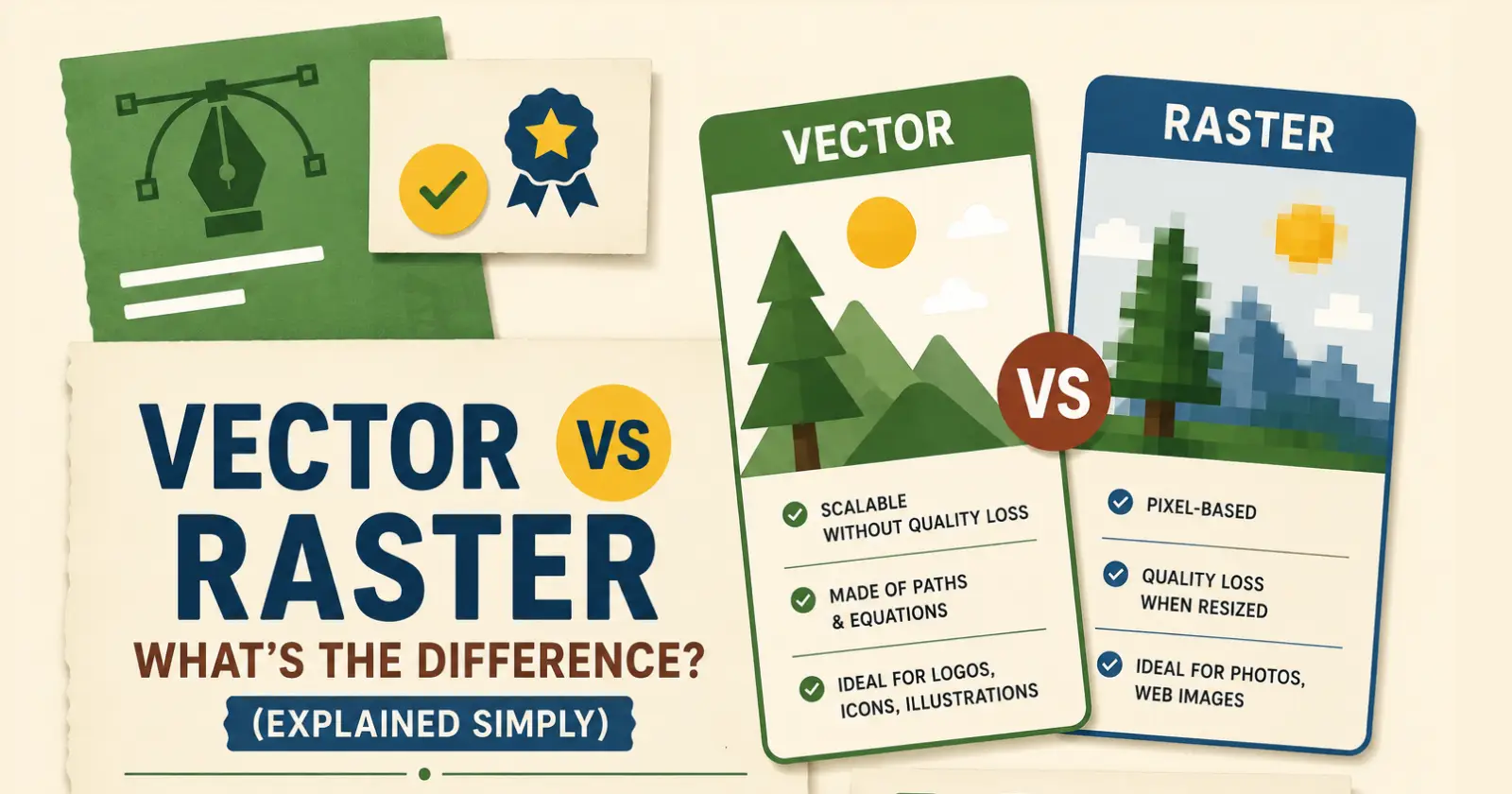
The use of images has increased immensely and is evident in areas such as website development, mobile applications, poster creation, and even on social media. However, most individuals are unaware of the various classifications of images. Certain images will appear clear regardless of their size. In contrast, others appear blurred when their sizes are increased.
This can be attributed to two categories of images: vectors and rasters. Understanding this concept enables individuals to choose the appropriate image category for various image-related activities. People working with websites and printing should understand what is a vector vs raster is for better image quality. This concept is relatively easy to understand. Images are classified based on the presence of either lines and shading or pixels.
Raster Images in an Easy Way
Images using rasters are generated using small colored squares called pixels. When combined, all the pixels form the whole image. Raster graphics are normally captured using smartphones and cameras. When a raster image is magnified, one can notice individual pixels, hence forming a blurred image. Raster images are mostly used for
- Photos
- Social media posts
- Website pictures
- Detailed drawings
- Online ads
Colors, lighting effects, and fine details are better suited for representation using raster graphics. An image with many fine details needs to be a raster image to be represented well.
Why Are Vector Images Unique?
Vector graphics are distinct from raster graphics as they utilize lines and shapes rather than pixels. Vector graphics are mathematical equations, and they are infinitely scalable, regardless of size. Think of the scalability of vector graphics by picturing a vector-based logo on a small business card and a giant billboard. Vector graphics are mostly for
- Logos
- Icons
- drawings
- Infographics
- Text designs
- Technical artwork
Many questions about the difference between vectors and rasters arise when studying design, since scaling is crucial.
Vector vs Raster: The Key Difference
The major difference is in their construction. Raster graphics consist of pixels, while vector graphics use lines and shapes. We can have a look at the table below.
| Feature | Raster Images | Vector Images |
| Made Using | Pixels | Lines and shapes |
| Best For | Photos | Logos and drawings |
| Resizing | Gets blurry when enlarged | Stays clear at all sizes |
| File Size | Usually bigger | Usually smaller |
| Editing | Pixel editing | Shape editing |
| Common Formats | JPEG, PNG, GIF | SVG, AI, EPS |
The table above helps everyone recognize the distinctions between the two types of graphics and their uses.
Why Raster Graphics Are Important
Although raster graphics may become blurry when resized, they remain highly functional, especially when optimized with tools like ImResizer for quick image resizing and compression. The majority of graphics people use daily are raster graphics. Raster graphics work best when,
- Images need real-looking details
- Color mixing is important
- Textures and lighting are needed
- Photography is involved
For example, travel pictures, wedding photos, and product images are mostly saved as raster files because they show natural details very clearly. Raster editing software helps users make detailed changes like
- Skin editing
- Background changes
- Color fixing
- Shadow adjustments
Programs like Adobe Photoshop are mainly used for raster editing because they work directly with pixels.
Why Designers Prefer Vector Graphics
Vector graphics are very popular in professional design because they are flexible and always look clean. Designers can resize and edit vector files many times without lowering image quality. Some important benefits are,
- Clear look at every size
- Easy logo editing
- Smaller file size
- Better print quality
- Smooth curves and lines
Businesses often use vector files for
- Company logos
- Product packaging
- Posters
- Banners
- Marketing designs
If someone wants to understand what is a vector vs raster is, logo design is one of the simplest examples to learn from. A logo should look clear on both a mobile screen and a large advertisement board. Vector graphics help make this possible.
Read Also – Design.com VS Wix Logo Maker
Choosing the Right Format for Your Work
Both image formats are useful, and the correct choice depends on the type of work. Choose raster images when,
- Working with photos
- Creating realistic images
- Editing detailed textures
- Posting social media pictures
Choose vector images when,
- Designing logos
- Creating icons
- Making illustrations
- Printing large banners
Many professional projects use both formats together.
Which Image Format Loads Faster?
Fast-loading websites are critical because no one likes to wait while pages load slowly. Both raster and vector images influence the page speed differently. Small vector images tend to load faster since they consist only of lines and geometric shapes. They make good choices for logos, icons, or buttons for the website. Raster images are larger in size, especially photos. Large images may negatively impact website performance. Tips on Improving Website Speed
- Use vectors for logos and icons
- Compress big raster images
- Select an appropriate size of images
- Do not upload large images
Using appropriate image formats can significantly improve website speed.
Winding Up
Learning about the differences between vector graphics and raster images may be valuable for individuals working with images. There are advantages to both, but it is hard to say one is superior to the other. Raster graphics should be used to create photographs and elaborate images, while vector graphics should be used to design scalable products and build brands.
A simple way to understand what is a vector vs raster is by comparing detailed photos with scalable logo designs. While raster graphics are formed using dots and thus allow high levels of detail, vector graphics feature linear shapes that remain impressive at any size. Using proper format is important in order to achieve better results.
Read Also – JPEG Full Form
